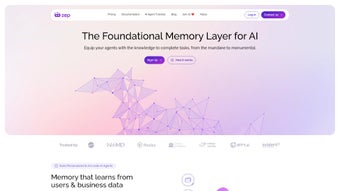

Download Zep – Secure, Free, Open‑Source LLM Platform for Windows, macOS, Linux
Overview
Zep is an open‑source web application designed to eliminate the friction that normally separates a prototype from a production‑ready LLM (large language model) service. By unifying memory management, semantic vector search, and automatic message enrichment in a single, browser‑based dashboard, Zep lets developers focus on business logic instead of plumbing. The platform is language‑agnostic, offering first‑class SDKs for Python and TypeScript as well as a generic REST API, so teams can adopt it regardless of their preferred stack.
A standout capability is its vector‑search engine, which enables fast approximate‑nearest‑neighbor queries over embeddings, allowing conversational agents to recall context across sessions. Zep also embeds privacy‑by‑design principles: built‑in CCPA and GDPR compliance tools handle data retention, archiving, and user consent automatically, making it especially attractive for regulated industries. Whether you are building a customer‑support chatbot, a knowledge‑base assistant, or a multi‑turn dialogue system, Zep provides the scaffolding to accelerate development while keeping the solution secure, scalable, and compliant.
The platform’s modular architecture, container‑first deployment model, and active community support together create a reliable foundation for both startups and enterprises seeking to bring LLM‑driven products to market quickly.
Core Features & Benefits
- Unified Memory Management: Store, retrieve, and prune conversational memory with configurable policies.
- Vector Search & Semantic Retrieval: Perform fast, approximate nearest‑neighbor queries over embeddings for contextual answers.
- Automatic Message Enrichment: Real‑time named‑entity extraction, intent detection, and sentiment analysis.
- Privacy‑First Architecture: Built‑in CCPA/GDPR compliance tools, data‑masking, and secure archiving.
- Multi‑Language Support: Native SDKs for Python and TypeScript, plus RESTful APIs for any language.
- Scalable Deployment: Container‑ready Docker images, Kubernetes manifests, and cloud‑agnostic Helm charts.
- Extensible Plugin System: Add custom processors, vectorizers, or storage back‑ends without touching core code.
- Rich UI Dashboard: Visualize chat sessions, search results, and memory statistics in a responsive web UI.
These features translate directly into tangible benefits for developers. The unified memory store removes the need to stitch together separate databases, while the vector engine works out‑of‑the‑box with popular embedding models such as OpenAI’s text‑embedding‑ada‑002 or Cohere’s multilingual embeddings. Automatic enrichment leverages open‑source NLP libraries (spaCy, Hugging Face Transformers) to tag entities, extract intents, and flag sensitive data before storage, thereby enforcing consistent data quality and reducing downstream cleaning effort.
The privacy‑first design supplies pre‑configured data‑deletion and export workflows, so compliance teams can automate “right‑to‑be‑forgotten” requests without writing custom code. Finally, the dashboard gives product owners a single pane of glass to monitor usage, audit logs, and performance metrics, eliminating the need for third‑party analytics tools. In short, Zep’s feature set accelerates time‑to‑value while safeguarding security and regulatory requirements.
Installation, Compatibility & Usage
Zep follows a container‑first philosophy, which means the entire stack can be launched with a single Docker Compose command. This approach works on any operating system that supports Docker, including Windows 10/11, macOS Monterey and later, and major Linux distributions (Ubuntu, Debian, Fedora). For developers who prefer native installations, the Python SDK runs on Windows, macOS, and Linux, and the TypeScript SDK works on any platform with Node.js ≥16.
- Prerequisites: Install Docker Engine (≥20.10) and Docker Compose (≥2.0). Optionally, have Node.js (≥16) and Python (≥3.9) available for SDK usage.
- Clone the repository:
git clone https://github.com/yourorg/zep.gitandcd zep. - Configure environment variables: Copy
.env.exampleto.envand setPOSTGRES_PASSWORD,REDIS_PASSWORD,JWT_SECRET, andALLOWED_ORIGINSas needed. - Launch the stack: Run
docker compose up -d. Docker will start PostgreSQL, Redis, the Zep backend, and the React dashboard in under two minutes. - Access the UI: Open
http://localhost:3000, log in with the default admin credentials (admin / admin123), and change the password immediately. - Integrate your code: Install the SDK of your choice—
pip install zep-sdkfor Python ornpm install @zep/sdkfor TypeScript. Use the provided examples to create chat sessions, add messages, and query the vector store. - Deploy to production: Replace the Compose file with the Helm chart for Kubernetes, configure TLS, and enable autoscaling. Zep provides step‑by‑step guides for AWS, GCP, and Azure.
Once live, the platform automatically generates embeddings for each incoming message, stores them in the vector index, and updates the memory store. When a user asks a new question, Zep retrieves the most relevant past turns, enriches the payload with entities and intents, and returns a context‑aware response. Because all operations are exposed via RESTful endpoints, you can call Zep from any language that supports HTTP, making it ideal for polyglot teams. The built‑in webhook system also allows event‑driven workflows, such as notifying a CRM when a specific intent is detected. This flexibility ensures you can evolve your application without rewriting core integration code.
Pros, Cons & Frequently Asked Questions
Pros
- Open‑source and free under a permissive MIT license.
- All‑in‑one solution: memory, search, enrichment, and UI in a single package.
- Robust privacy controls simplify GDPR/CCPA compliance.
- Language‑agnostic SDKs for Python and TypeScript, plus a generic REST API.
- Scalable architecture—Docker for local dev, Helm for cloud‑native deployments.
- Comprehensive documentation, example projects, and an active community.
Cons
- Production‑grade setups require familiarity with Docker/Kubernetes.
- The out‑of‑the‑box UI is functional but may need branding customisation.
- Advanced vector‑search performance depends on underlying hardware; GPU acceleration is optional.
- Managed hosting or enterprise support incurs additional costs.
Frequently Asked Questions
Is Zep really free for commercial use?
Yes. Zep is released under the MIT license, which permits unrestricted commercial use, modification, and distribution without any licensing fees.
Can Zep handle GDPR data‑subject requests automatically?
Zep includes built‑in tools for data deletion, anonymisation, and export. By configuring privacy policies in the dashboard, you can automate “right to be forgotten” and data‑portability requests.
What embedding models are supported out of the box?
The platform ships with adapters for OpenAI, Cohere, Hugging Face, and local sentence‑transformer models. Custom vectorisers can be added via the plugin system.
How does Zep ensure low latency for large chat histories?
Zep stores embeddings in a highly optimised ANN index (FAISS or HNSW) and caches recent queries in Redis, delivering sub‑second retrieval even with millions of vectors.
Is there a hosted version of Zep for teams that don’t want to manage infrastructure?
While the core product is self‑hosted, the maintainers offer a managed SaaS tier with automatic scaling, backups, and priority support. Pricing details are available on the official website.
Conclusion & Call to Action
Zep delivers a compelling blend of flexibility, privacy, and performance that makes it a standout choice for developers building LLM‑powered applications. Its open‑source nature eliminates licensing barriers, while the comprehensive feature set—ranging from vector search to automatic enrichment—covers the majority of use‑cases out of the box. Whether you are a startup prototyping a conversational assistant or an enterprise seeking a compliant, scalable backend for customer‑support bots, Zep gives you a solid foundation without the overhead of stitching together multiple services.
The only trade‑off is the initial learning curve associated with container orchestration, but the extensive documentation and active community quickly offset that hurdle. Ready to accelerate your LLM projects? Download Zep now, spin up the demo stack, and experience how fast you can move from idea to production‑ready AI.






